How to Automate Hotel Guest Messages: Booking to Checkout
Automated guest messaging lifts satisfaction by 23%. A timeline-based guide to pre-arrival, in-stay, and post-stay hotel communication automation.
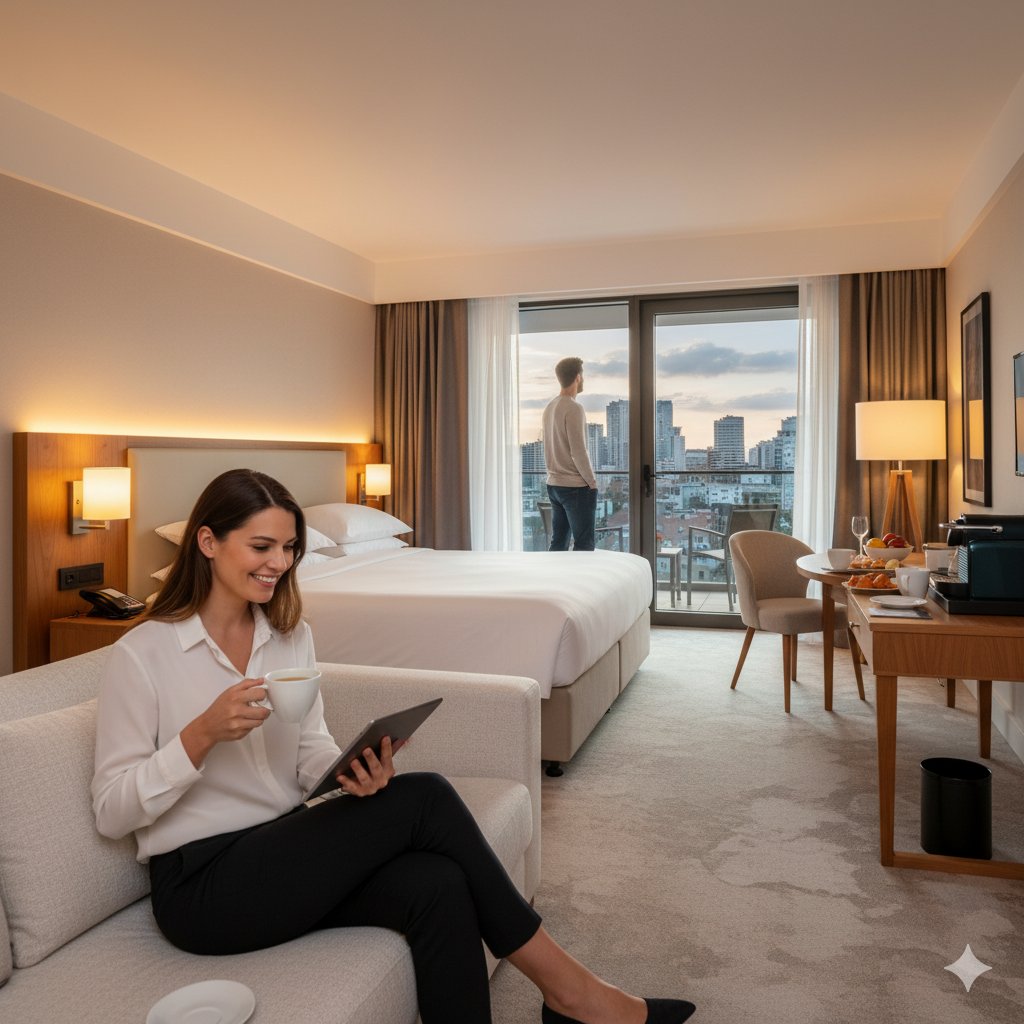
A front desk manager at a 35-room hotel in Barcelona used to spend the first hour of every morning sending check-in instructions to arriving guests. Copy the template. Paste the guest name. Adjust the arrival details. Send. Repeat for 12-15 arrivals. Then handle the phone calls from guests who didn’t read the email, asking the exact questions the email already answered.
After setting up automated guest messaging, that hour disappeared. Messages go out automatically, personalized with each guest’s name, room number, and arrival time. Guests arrive prepared. The front desk phone barely rings during morning check-in rush. The manager now uses that hour to greet guests in the lobby instead of typing at a computer.
This isn’t a technology pitch. It’s a workflow that structured pre-arrival communications result in 23% higher guest satisfaction, according to GuestTouch research. And 98% of email upsell revenue is generated during the pre-arrival phase, making those messages valuable beyond just logistics.
The Guest Communication Timeline
Think of guest messaging as a timeline with five natural touchpoints. Each one serves a specific purpose, and missing any of them creates a gap your guests will notice.
Touchpoint 1: Booking Confirmation (Immediate)
This one seems obvious, but many small hotels rely entirely on OTA confirmation emails, which promote the OTA brand, not yours. For direct bookings, your PMS should send a branded confirmation automatically. For OTA bookings, consider a supplementary welcome email from your property.
What to include:
- Reservation summary (dates, room type, rate, guest count)
- Cancellation and modification policy
- Your hotel’s contact information
- A warm, brief welcome message
What not to include: everything else. Save the details for later messages. Overloading the booking confirmation with check-in procedures, local tips, restaurant menus, and upsell offers makes it overwhelming and unread.
Touchpoint 2: Pre-Arrival Details (5-7 Days Before)
This is your richest communication opportunity. The guest is starting to think about their trip and is receptive to information and offers.
Include the practical essentials:
- Check-in time and process (including online check-in link if available)
- Directions from airport, train station, or major highways
- Parking instructions and costs
- Contact number or WhatsApp for questions
Add value with optional extras:
- Local event recommendations for their travel dates
- Weather forecast summary (helps with packing)
- Upsell offers: airport transfer, late checkout, breakfast package, room upgrade
- Link to your digital guest directory or QR-code-based information
Upselling in pre-arrival messages works because guests are already in planning mode. An airport transfer offer at this stage feels helpful, not pushy. For more on how to approach this, see the hotel upselling guide.
Touchpoint 3: Day-Before Reminder (24 Hours Before Arrival)
Short and focused. Confirm their room is ready (or will be at the stated time). Remind them of the check-in process. Include a phone number or WhatsApp link for any last-minute questions.
If the guest hasn’t completed online check-in yet, send a gentle nudge: “Complete your check-in now to skip the front desk tomorrow.” This reminder typically doubles online check-in completion rates.
For guests arriving very late, add specific late arrival instructions (night entrance location, key retrieval process, emergency contact).
Touchpoint 4: In-Stay Communication (During the Stay)
This is where many hotels go silent, which is a mistake. A single mid-stay check-in message makes a measurable difference in satisfaction scores and review quality.
Send a brief message on the morning after arrival: “Good morning, [name]. Hope your first night was comfortable. Is there anything we can help with today?” Simple, personal, and it opens a two-way channel.
If you’re using an AI concierge, the system can handle responses to routine questions (restaurant hours, WiFi password, directions) while routing complex requests to staff.
For multi-night stays, space communication appropriately. A single check-in message is welcome. Daily automated messages feel intrusive. Let the guest initiate further contact through the channel you’ve established.
Touchpoint 5: Post-Stay Follow-Up (24-48 Hours After Checkout)
Two goals: collect feedback and invite a review. Separate these into two distinct asks if possible.
First, thank the guest and ask about their experience. If your platform supports it, send a brief satisfaction survey (three to five questions maximum). This internal feedback identifies operational issues before they become public complaints.
Second, for guests who rate positively, follow up with a request to share their experience on Google or TripAdvisor. The timing here is critical: 24-48 hours post-checkout consistently produces the highest review response rates. More detail on building a review collection system in the Google reviews guide.
Choosing the Right Channel
Not all guests read the same channel. The right messaging mix depends on your guest demographics.
Email remains the default for booking confirmations and detailed pre-arrival information. Open rates for hotel pre-arrival emails typically run 50-65%, well above the 20% average for marketing emails, because guests actually want this information. Best for: detailed content, attachments, links, templates.
SMS cuts through inbox clutter. Open rates exceed 90%, and most messages are read within three minutes. Best for: day-of reminders, check-in links, and quick operational messages. The limitation: character limits and per-message costs in some markets.
WhatsApp dominates international travel communication. With over 2 billion users, it’s the preferred channel in Europe, Latin America, Southeast Asia, and much of the Middle East. Best for: conversational interaction, image sharing (directions, room photos), and two-way communication during the stay.
The strongest approach uses smart routing. Platforms detect the guest’s location or preference and automatically send through the best channel. A domestic traveler in the US gets SMS. A European guest gets WhatsApp. Everyone gets email for longer-form content.
Platform Options
Several platforms handle automated hotel guest messaging. The market has matured significantly, and options exist at every price point.
| Platform | Focus | Best For | Starting Cost |
|---|---|---|---|
| Guestivo | All-in-one guest experience | Combined messaging + check-in + ordering | Per-room/month |
| Akia | Guest messaging + automation | Properties wanting AI-powered responses | Per-room/month |
| Duve | Guest experience platform | Hotels wanting comprehensive journey management | Per-room/month |
| Canary | Hotel operations platform | Properties wanting messaging + check-in + tipping | Per-room/month |
| GuestTouch | Review + messaging | Properties focused on reputation management | Subscription |
What to evaluate when choosing:
PMS integration depth. The platform must pull reservation data (guest name, dates, room type, special requests) from your PMS to personalize messages automatically. “We integrate with everything” requires verification. Ask for documentation showing your specific PMS.
Channel support. Does it handle email, SMS, and WhatsApp? Can it route messages to the best channel automatically? International properties need multilingual capabilities.
Automation triggers. Can you set messages to fire based on booking date, check-in time, checkout, and custom events? Flexible trigger rules let you build the exact timeline your property needs.
Two-way communication. One-way blast messaging is table stakes. The real value comes from platforms where guests can reply, ask questions, and make requests through the same channel. Integration with your technology stack means those requests reach the right team member.
Setting Up Your First Automation
If you’re starting from zero, here’s a practical rollout plan.
Week 1: Build your message templates. Write five messages for the five touchpoints described above. Keep each one short (under 200 words for email, under 160 characters for SMS). Personalization tokens (guest name, dates, room type) should be supported by your platform.
Week 2: Configure triggers and test. Set up automation rules in your messaging platform. Test every message by creating dummy reservations and walking through the entire guest journey. Check that personalization works, links function, and timing is correct.
Week 3: Soft launch. Enable automation for direct bookings first (you have full guest data). Monitor every message that goes out. Collect feedback from the first 20-30 guests. Adjust wording based on questions or confusion.
Week 4: Expand to all channels. Enable for OTA bookings (where guest data is available). Add WhatsApp and SMS alongside email. Review response rates and engagement.
Ongoing: Refine and optimize. Check open rates and response rates monthly. Test different subject lines. Adjust timing based on guest behavior. Add or remove touchpoints based on what works.
The Language Question
If your property hosts international guests, automated messages need to work in multiple languages. Sending a German guest check-in instructions in English creates friction, even if they speak English well.
Most messaging platforms support multilingual templates. You create the same message in each language, and the system selects the right version based on the guest’s profile (nationality, language preference, or booking language).
The setup investment is front-loaded: creating templates in four or five languages takes time initially. But once configured, the system handles language selection automatically for every future guest.
For ongoing conversations, AI-powered platforms like Guestivo and HiJiffy can respond to guest questions in dozens of languages using AI translation, which is particularly valuable for small hotels that can’t staff multilingual front desks.
Common Mistakes
Over-messaging. Sending seven emails before arrival trains guests to ignore you. Stick to the five touchpoints and resist the urge to add more. Each message should deliver clear value.
Generic, impersonal messages. “Dear Guest” feels like spam. Use the guest’s name, reference their room type or travel dates, and write in a tone that matches your property’s personality.
Sending everything through one channel. Some guests live in email. Others never check it. If you’re only using email, you’re missing 30-40% of your audience.
Ignoring responses. Automation sends the message, but a human (or well-configured AI concierge) needs to handle replies. Guests who respond to an automated message and get silence feel worse than if you’d never contacted them.
Treating all guests identically. A returning guest doesn’t need directions to the hotel. A guest arriving for their anniversary might appreciate a congratulatory note. Platforms that segment messages based on guest history and booking details outperform one-size-fits-all messaging.
Measuring What Works
Track these metrics to know if your messaging automation is delivering value:
Open rates by channel. Email should exceed 50% for pre-arrival messages. SMS and WhatsApp should be above 85%. If rates are low, your subject lines need work or you’re sending at the wrong time.
Online check-in completion rate. If your messages include a check-in link, what percentage of guests complete it? Target 40-60% adoption. Below that, your messaging or the check-in process has friction.
Response rate. What percentage of guests reply to your messages? Higher response rates indicate engagement and open communication channels. A 15-25% reply rate is healthy for automated messages.
Front desk inquiry reduction. If the same questions keep coming despite your pre-arrival information, the messages aren’t clear enough. Track the most common front desk questions and make sure your automated messages answer them.
Guest satisfaction scores. Compare satisfaction ratings for guests who received the full message sequence versus those who didn’t (OTA guests with limited data, for example). The difference quantifies the value of your communication.
Guest messaging automation isn’t about replacing personal hospitality. It’s about delivering the right information at the right time so that when guests do interact with your team, the conversation is about their experience, not about parking logistics. For a broader view of how messaging fits into your overall technology strategy, see the boutique hotel technology guide.
Frequently Asked Questions
What messages should a hotel send before guest arrival?
At minimum, send a booking confirmation immediately and a pre-arrival message 24-48 hours before check-in. The confirmation covers reservation details and cancellation policy. The pre-arrival message should include check-in instructions, directions, parking information, and a link to online check-in if available. Some properties add a mid-point email (5-7 days before) with local recommendations and upsell offers like airport transfers or late checkout.
Is WhatsApp or SMS better for hotel guest communication?
It depends on your guest demographic. WhatsApp dominates in Europe, Latin America, and parts of Asia (over 2 billion users globally). SMS works better for North American domestic travelers and older demographics. The best approach is smart routing: platforms detect the guest's country or preference and send through the appropriate channel automatically. If you can only choose one, pick the channel your primary guest demographic uses most.
How much does guest messaging software cost for a small hotel?
For a 25-40 room property, expect $100-300 per month depending on the platform and features. Some charge per room per month ($2-8), others use flat subscription pricing. Most platforms include email, SMS, and WhatsApp in the base price, though SMS message costs may be billed separately at $0.01-0.05 per message. The ROI typically shows within the first month through reduced front desk inquiries and higher guest satisfaction scores.
Can I automate hotel messages without a PMS integration?
Technically yes, but you lose most of the value. Without PMS integration, you can't personalize messages with guest names, room numbers, arrival dates, or stay details. You'd need to manually trigger each message or upload guest lists. It works for very small properties (under 10 rooms) where the owner handles everything personally, but for anything larger, PMS integration is essential for automation to be practical.
Written by Maciej Dudziak
Topics